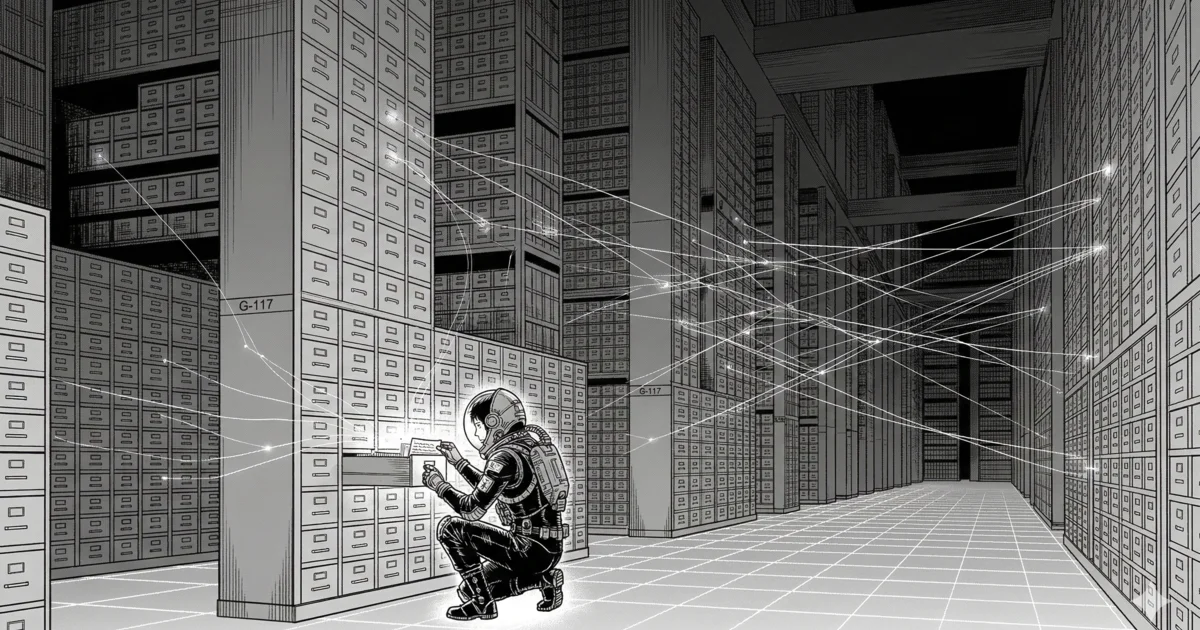
Your app has amnesia.
Every time someone visits, the server starts completely fresh. No idea who they are. No record of what they did yesterday. No memory of the form they filled out an hour ago.
This is just how the web works. Every request is independent. The server handles it, sends back a response, and moves on. Nothing sticks.
The database is what fixes that. It's where your app writes things down so it can find them again later. Without it, every visit is a first visit.
Already comfortable with databases? Skip to the third section. That's where we cover why schema design is the decision that determines everything else, and how it connects to building with Claude.
Part 1: What a Database Actually Is
Let's start simple.
A database is a structured place where your app stores information so it can find it again later.
That's the whole thing. Your app needs to remember stuff. Users, tasks, orders, settings, whatever your app does, it needs to keep track of things. The database is where all of that lives.
If you've ever used a spreadsheet, you already understand the basics. A database table is like a sheet. Columns define what kind of information you're storing: name, email, created date. Rows are individual entries, one row per user, one row per task, one row per order.
But a database isn't just a fancy spreadsheet. It has rules. You can say "this column must always have a value" or "no two users can have the same email address" or "this column only accepts numbers." Those rules keep your data clean. A spreadsheet lets you put anything anywhere. A database enforces structure.
It also has relationships, which we'll get to in a minute. And it's built for speed. A spreadsheet with 10,000 rows starts to crawl. A database handles millions of rows without breaking a sweat, serving reads and writes to hundreds of users at the same time.
Where It Lives
Here's something that surprises most people: during development, the database is just a file on your laptop.
Laravel supports SQLite out of the box, and SQLite is literally a single file in your project folder. No server to install. No complicated setup. Just a file called database.sqlite that your app reads and writes to. When your code says "save this user," it's writing to that file. When it says "give me all tasks," it's reading from it.
In production, you'll probably use something more powerful, like MySQL or PostgreSQL, which are built for heavier loads and multiple users at once. But the concept is identical. Tables, columns, rows. The database stores your data. Your server reads and writes to it. That's the relationship.
How It Fits in the Lifecycle
Remember the server lifecycle from last time? The controller is the piece that runs your logic when a request arrives. When that logic involves data, saving something, looking something up, checking if a user exists, the controller talks to the database.
The database is the step in the lifecycle where your app's memory gets involved. Not every request needs it. But most do. When a user logs in, the server checks the database: "Is there a user with this email and password?" When they visit their dashboard, the server asks the database: "What are this user's tasks?" When they create a new task, the server tells the database: "Save this."
The server processes. The database remembers. Together, they make your app work.
Part 2: What's Actually Inside a Database
Let's open one up.
A database is organized into tables. Each table stores one type of thing. A users table stores users. A tasks table stores tasks. A products table stores products. One table per concept.
Each table has columns that define the shape of the data. Think of columns as the questions you're asking about each entry. For a user, you might ask: What's their name? What's their email? When did they sign up? Each question is a column.
Here's what the users table might look like:
| id | name | created_at | |
|---|---|---|---|
| 1 | Ana | ana@example.com | 2025-01-15 |
| 2 | Marcus | marcus@example.com | 2025-01-16 |
| 3 | Emma | emma@example.com | 2025-01-17 |
That's it. That's what the inside of a database table looks like. Rows and columns. Each row is one person. Each column is a piece of information about them.
When someone signs up for your app, a new row appears in this table with their information. When they change their name, the existing row gets updated. When they delete their account, the row gets removed.
Columns Have Rules
Each column has a type. Name is text. Email is text with a uniqueness rule, no two users can have the same email. Created_at is a timestamp. Password is text, but it's hashed (encrypted so even if someone sees the database, they can't read the actual password).
These types and rules aren't just for organization. They protect your data. If your code accidentally tries to save a number where text should go, the database rejects it. If someone tries to sign up with an email that already exists, the database says no. These constraints catch mistakes before they become bugs.
Think About Your App
Here's where this gets personal.
Think about your app idea right now. The one you want to build. What does it need to remember?
Users, almost certainly. But what about the core thing your app does?
- Task manager? You need a
taskstable: title, description, due date, whether it's done. - Online store? You need a
productstable: name, price, description, stock count. And anorderstable. - Booking system? You need an
appointmentstable: date, time, who booked it, status. - Blog? You need a
poststable: title, content, author, published date.
Each of those is a table. The details you need to store about each one are the columns. You just designed the start of your database.
Part 3: How Data Connects (And Why This Changes Everything)
Here's where it gets interesting.
You've got a users table and a tasks table. Two separate tables, two types of data. But there's a question: whose tasks are they?
Right now, the tasks table has titles and due dates, but nothing that tells you which user created which task. Ana's tasks and Marcus's tasks all look the same. That's a problem.
The fix is a column called user_id.
| id | title | user_id | done |
|---|---|---|---|
| 1 | Buy groceries | 1 | false |
| 2 | Finish report | 1 | false |
| 3 | Call dentist | 2 | true |
See the user_id column? When Ana (user ID 1) creates a task, the row gets user_id: 1. When Marcus (user ID 2) creates one, it gets user_id: 2.
Now when Ana logs in and visits her dashboard, the server asks the database: "Give me all tasks where user_id equals 1." It gets back two tasks. Ana's tasks. Only Ana's tasks.
That's a relationship. Data pointing to other data. And it's the mechanism that makes your app personal, every user seeing their own stuff, not everyone else's.
Common Relationship Patterns
You'll see the same patterns everywhere:
- A user has many tasks. A task belongs to a user.
- A user has many orders. An order belongs to a user.
- An author has many blog posts. A post belongs to an author.
The language is intentional. "Has many" and "belongs to" are how Laravel describes these connections, and they map directly to the user_id-style columns in the database.
There's also a more complex pattern. A student belongs to many classes. A class has many students. This is a many-to-many relationship, and it uses a third table in between (a connector table that stores pairs: student_id, class_id). You don't need to understand the mechanics right now. Just know that databases can model complex connections between data, not just simple ownership.
Why Relationships Matter
Relationships are what turn a collection of flat data into an actual application. Without them, you just have lists. With them, you have context. You know whose data is whose. You can show a user their orders but not someone else's. You can delete a user and automatically clean up their tasks.
The way you design these connections determines how your app works. Get the relationships right, and building features is straightforward. Get them wrong, and every new feature becomes a fight against your own data structure.
Part 4: Why This Is the Most Important Decision You'll Make
I want to be honest with you about something.
Your database schema, the tables, the columns, the relationships, is the foundation of your entire app. Everything else sits on top of it. Controllers, views, forms, API endpoints, they all depend on how the data is structured underneath.
When the foundation is solid, building is smooth. When it has problems, everything above it wobbles.
Why Vibe-Coded Apps Hit a Wall
Most vibe coding failures don't come from bad UI or broken CSS. They come from bad database design.
Here's how it usually goes. The app works fine for the first three features. Then someone asks "can we add categories to tasks?" and the whole thing needs restructuring. Or "can users share tasks with each other?" and the relationship model doesn't support it. Or "can we track who completed which task and when?" and there's no place to store that information.
These aren't hard features. But if the database wasn't designed with them in mind, each one requires rearranging the foundation while the house is already standing.
Changing It Later Is Hard
It's not impossible to change your database after you've built features on top of it. But it's painful. You have to update the schema, rewrite the queries, adjust the controllers, fix the views, and make sure existing data (real users, real tasks, real orders) doesn't break in the process.
It's like changing the plumbing after the walls are up. You can do it. You'd really rather not.
This is why Milestone 4 in the learning path, the one about data design, spends serious time on this. Not because database theory is fascinating, but because getting the schema right early saves you from a world of pain later.
The Building Implication
When you tell Claude Code "save the user's data," here's what's actually happening under the hood: the controller validates the input, talks to a model (a PHP class that represents a database table), and the model writes a row into the database.
Understanding what that table looks like, what columns it has, how it connects to other tables, is the difference between an app that works and an app that works and can keep growing.
In Laravel, your database structure is defined in migration files, code that describes what tables and columns to create. And your app talks to the database through models, PHP classes that map to tables. You don't need to learn those right now. That's Milestone 4. But here's what matters: the database isn't something you set up once and forget. Its design is part of your codebase, and it evolves with your app.
When Claude Code creates a migration for you, it's designing a piece of your database. When it creates a model, it's building the bridge between your server code and your data. Understanding what the database looks like underneath is what lets you evaluate whether Claude's design decisions are good ones.
The Full Picture
Three topics ago, you got the big picture: every web app is a cycle of requests and responses.
Two topics ago, you got the map: frontend on one side, backend on the other.
Last topic, you got the machinery: a server that receives requests, runs your code through a lifecycle, and sends back responses.
Now you've got the memory: a database that stores everything your app needs to remember, organized into tables, with relationships that connect the data together.
You can see the whole system now. A user clicks something. The browser sends a request. The server receives it, checks the route, runs the controller, talks to the database, builds a response, and sends it back. The browser renders it.
That's every web app. That's what you're building.
Next, we're going to step back and look at the thing that organizes all of these pieces into a single, coherent system: the framework. What it is, why it exists, and why it makes building with AI dramatically easier.